Adobe Acrobat Pro 9.0.0 updates
Old but still functional – here’s my placeholder for updating from Acrobat Pro 9.0.0 to 9.5.5.

Old but still functional – here’s my placeholder for updating from Acrobat Pro 9.0.0 to 9.5.5.
I was really happy to see Live Writer transition from a Microsoft product to the Open Source World.
Live Writer is my go-to blog composing app. Still works beautifully after all these years.
You can download Open Live Writer at http://openlivewriter.org/
Something changed in SLES 11 SP4 (or one of the very recent updates).
The default mysql.sock moved to /var/run/mysql/mysql.sock rather than the previous location in /var/lib
For some reason this meant that the defaults for PHP5 were looking for the wrong location for the socket.
A quick cleanup of /etc/php5/apache2/php.ini to include mysql.default_socket = /var/run/mysql/mysql.sock and everything is back functioning.
SLES 11 SP4 has been out for a few months now. Finally found the maintenance window to do the updates.
Great post here on how to do the magic with zypper.
I have been a long time user of Gallery Project. I migrated from jAlbum in mid 2003 and migrated through G1 up to G2 with integration into WordPress.
Six years ago I made a note to really investigate the changes from Gallery 2 to Gallery 3 – I did the homework; but the change didn’t make sense for many reasons.
Last year I was saddened to see that the Gallery Project had gone into hibernation. Always sad to see an open source and community led project get shuttered.
Less photos these days; we tend to share a limited number via Facebook – but still the dilemma – what to do with the hundreds of thousands of old photos and rapidly rotting code.
This is a reminder for myself mainly.
The update servers for SLES 11 SP3 on Azure changed – and there is a pretty well managed process to change the update repos.
https://www.suse.com/communities/conversations/suse-update-infrastructure-changes-microsoft-azure/
Over the past 15 years I’ve become very aware that different people take in information in very different ways. I am a visual learner as an example – so seeing diagrams, manipulating shapes on a touch screen, linking conceptual boxes together – that’s my thing. Others prefer to read and digest, others like to listen, question and engage in conversation.
I am writing a series of architecture papers – and to make sure that the concepts and intent are really landed I’m doing a lot of whiteboarding and socialising too.
It’s nice to be able to turn the dial to 11 when you need something doing quickly.
Just rebuilt the thumbnails on the photo albums – it’s a CPU intensive job. Turn Azure up to 11 – more RAM, more procs – and it’s done in no time.
Something is broken with Comcast Business Internet.
Speed test (urg) to Comcast in Seattle gives 50/10 – as expected:
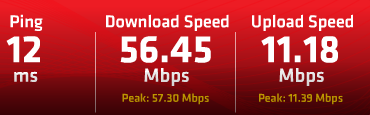
Speed test to Comcast in San Jose gives 50/10 as expected:
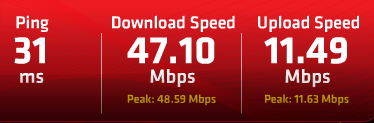
Speed test to Comcast in Salt Lake gives 2/10 – which is horribly broken.
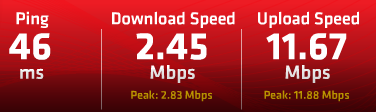
Same Ookla test outside Comcast – and I get 2/10 in Seattle.

Comcast Chicago compared with Comcast Seattle.
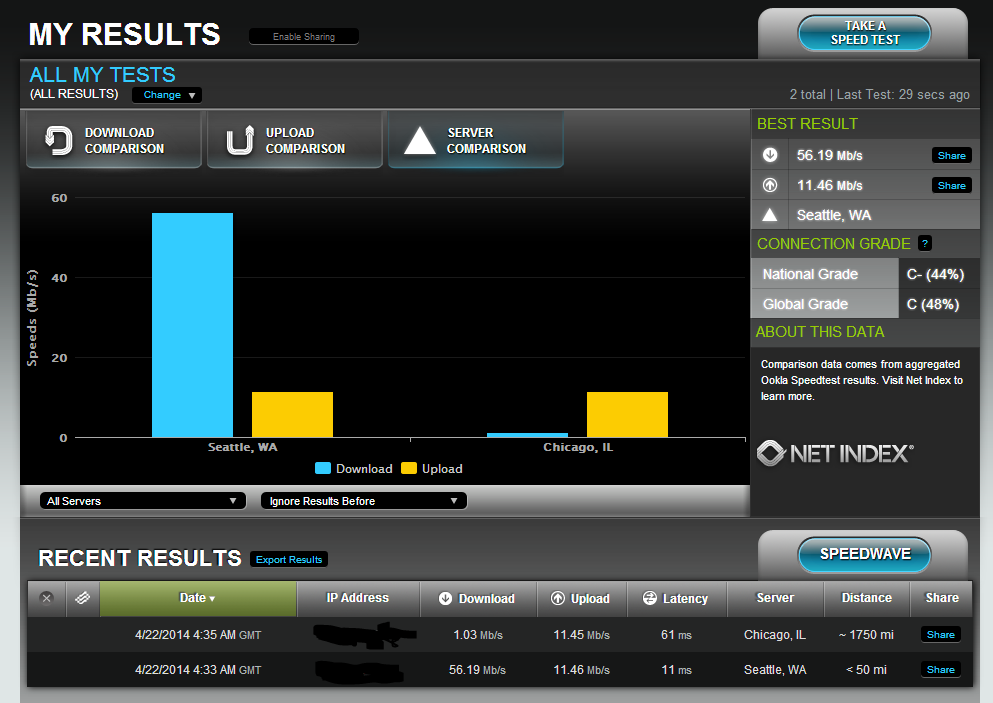
I had a group of machines for a pilot project just stop launching Power View.
Very frustrating – and then my machine stopped working.
I finally tracked down the problem – and hopefully this helps others.
Using the Registry Editor – RegEdit – browse to
Computer\HKEY_CURRENT_USER\Software\Microsoft\Office\15.0\User Settings
You should see a registry key PowerViewExcelAddin
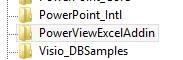
Delete the key.
Now open Excel – create a new blank workbook.
On the Insert tab you should see PowerView
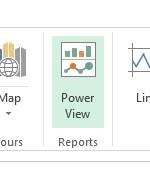
Click on PowerView – Excel will say you need to enable Power View – click on Enable.

The Power View and all of the BI should work now.
Recent Comments